 emdeplam
photo strips · shoot together
A long distance photo booth: one strip, two phones, two cities
Different cities, sometimes different time zones, and you still want a photo strip together, like squeezing into the same booth. Shoot together in emdeplam does exactly that: you shoot your half, send one photo in a chat, and they shoot the other half on their own phone.
What Shoot together is
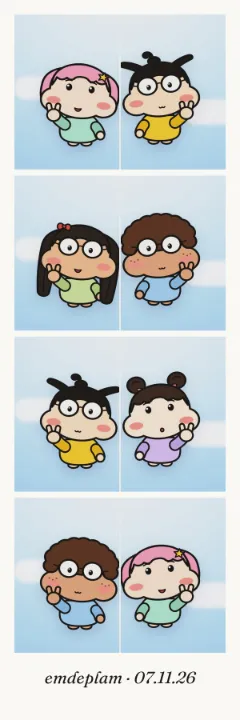
Shoot together is a Photobooth mode in emdeplam made for two people who are far apart. No video call and no timing it: each of you shoots your part when you're free, and the final strip looks like you stood side by side in the same frame.
The only thing that travels between your phones is one photo, the invite. It holds your photos, a QR code and one line of instructions. You send it like any other photo, in any messaging app. No account, no server, nobody else sees it.
What you need
- Two phones with emdeplam. It's free on the App Store (iPhone) and Google Play (Android), with no ads and no sign in. Shoot together needs 1.5 or later on both phones; an iPhone and an Android can shoot together.
- Any chat to pass the invite back and forth.
- Up to 7 days. An invite opens for 7 days after it's made, so you both have time.
- No need to shoot at the same time. They can shoot their half tomorrow morning.
Step 1: shoot your half
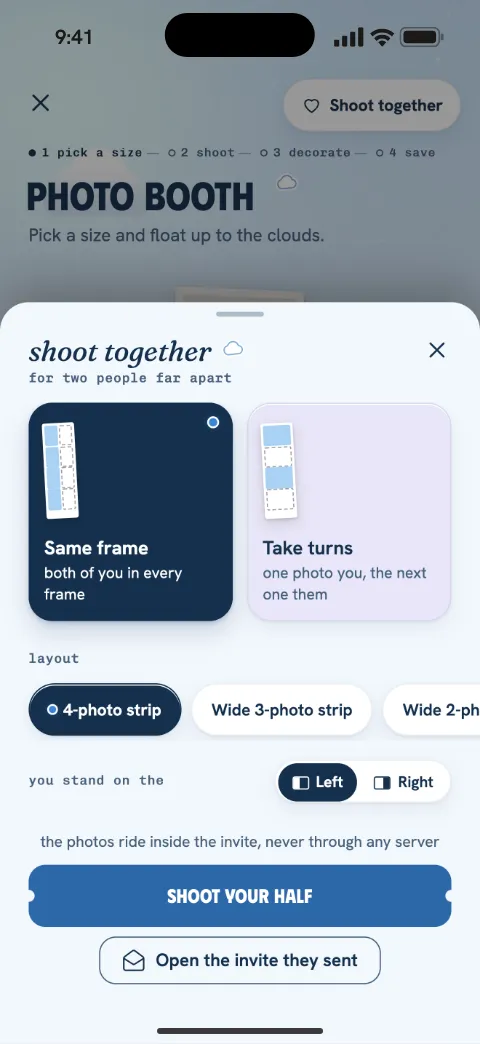
- Open emdeplam, go to Photobooth and tap Shoot together · for two people far apart.
- Pick a Style. Same frame: both of you in every frame, half each. Take turns: one photo you, the next one them.
- Pick a Layout (a 4 photo strip, or a 3 or 2 photo wide strip) and the side you stand on.
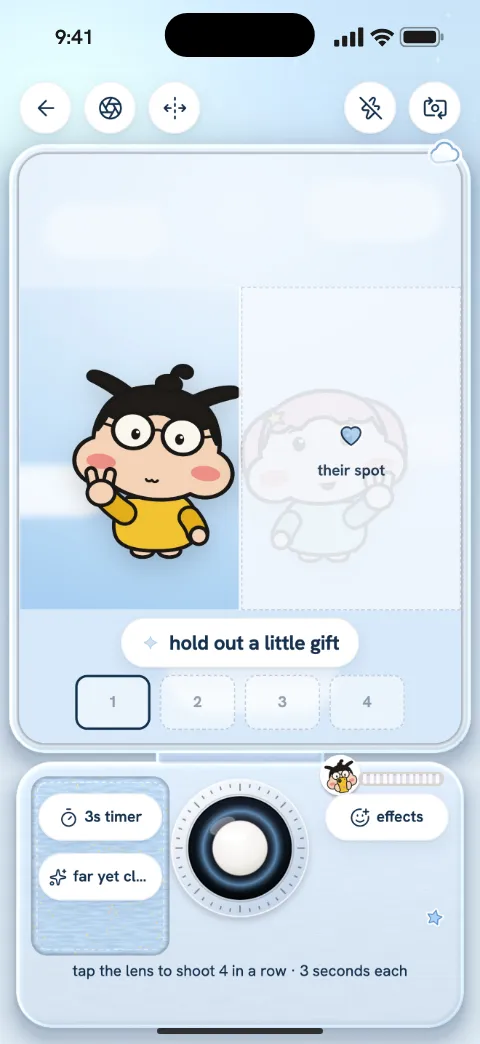
- Tap Shoot your half. A countdown, a pose prompt for every photo from the Far yet close pack, and their half shown faded so you know where they'll stand.
- Tap Send to them. The app makes the invite and opens the share sheet. Pick the chat and you're done.
Step 2: they shoot the other half
- They save the invite to Photos. No app yet? Scanning the QR code on the invite leads to the download page.
- In emdeplam: Photobooth › Shoot together › Open the invite they sent, then pick that photo.
- The camera shows your half right beside the viewfinder, with the matching pose prompt and the same timer you used.
- Then they dress the strip like any other: frame, backdrop, text, stickers.
- Save, and send it back so you get the finished strip too.
For the sharpest result, send the invite as a file instead of a photo. Many messaging apps compress photos, and the app tells you when an invite arrives compressed.
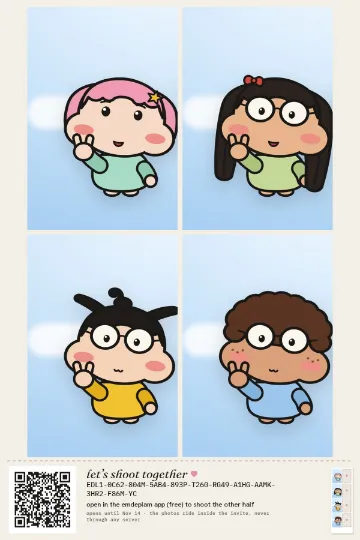
Poses that meet in the middle
The Far yet close pack has 12 pose pairs: one line for you, one for them, in the same order so the halves match. A few favourites:
- Half a heart at the middle · finish the heart
- Hold out a little gift · reach out to take it
- Blow them a kiss · catch the kiss
- Lean your head on the line · lend them your shoulder
- Raise a glass, cheers, the same line for both
- Hook pinkies in the middle, the same line for both
To make two halves look like one place: stand near a window so the light matches, hold the phone at eye level, wear the same colour family, and pick one film look when you dress the strip.
Five moments for a long distance strip
- Valentine's Day when you can't be together. A shared strip is a gift you make in ten minutes.
- Anniversaries, with the months or years in the caption under the strip.
- Their birthday: you hold the cake, they blow out the candles on the other side.
- Holidays away from home, for best friends studying abroad or family far away.
- Counting down to seeing each other, one strip a week.
Where your photos go
Your photos ride inside the invite, never through any server: emdeplam has no accounts and doesn't upload your photos. Whoever receives the invite can save the photos in it, so send it only to someone you trust. After 7 days the app won't open that invite anymore, but the photo you sent stays in the chat like any other.
Quick answers
Do we have to shoot at the same time?
No. You shoot your half whenever you like, and they shoot theirs within 7 days.
What if they use Android?
That works now: emdeplam is on Google Play, free. With 1.5 on both phones you can shoot together, and an iPhone and an Android can share one strip.
Does Shoot together cost anything?
No. Every emdeplam feature is free right now, with no ads and no account.
Can we shoot Live or save a GIF?
Shoot together saves still photos, so Live is off in this mode. Regular strips still shoot Live and save GIFs.
Get emdeplam, shoot your half and send it to them.
5.0 · 3,500+ downloads on the App Store