 emdeplam
How to take photo booth pictures at home with your phone
No studio, no queue: a phone, somewhere to prop it and the free emdeplam app are all you need for a 4-photo booth strip at home, with a countdown, pose prompts, face effects, frames, surfaces and stickers.
What you need for a photo booth at home
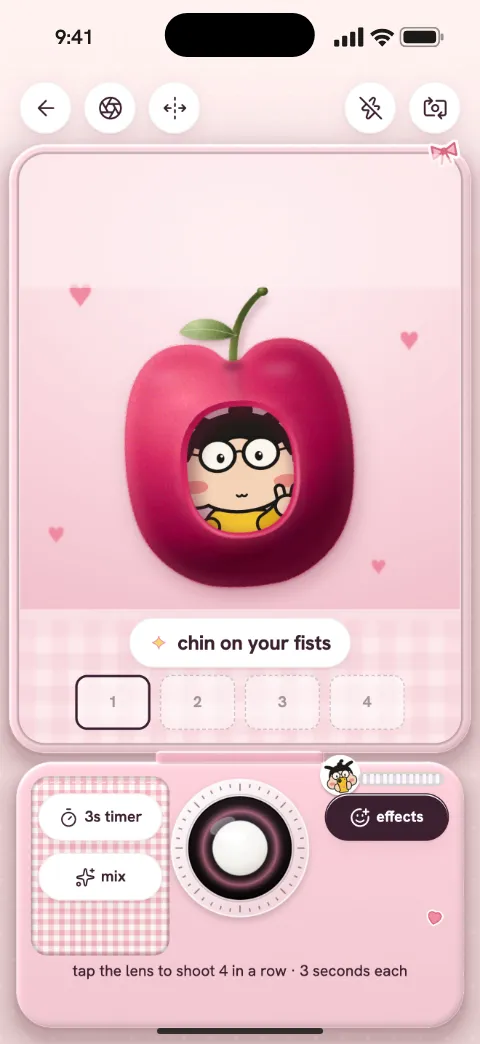
A photo booth shoots 3 or 4 photos in a few seconds and prints them as one tall strip. At home you need your phone, a spot to prop it at eye level (a shelf, a stack of books, a stand) and light on your face; near a window is lovely. Shooting on the front camera? Turn on the Screen light: the screen lights you up, in the colour you pick.
Step by step: a 4-photo strip on your phone
1. Open Photo booth and pick a print: a 4, 3 or 2 photo strip, or a 4 or 9 photo grid, tall or wide. 2. Pick a pose pack: Cute, Cool, Couple, Squad or Peekaboo. 3. For extra fun, turn on an effect (a hood, a tiara or heart glasses that follow your face) or pick one of 8 cameras. 4. Tap the timer for 3, 5 or 10 seconds, prop the phone, tap Start shooting: lights count 3-2-1 and the app shoots each photo with a pose prompt. 5. Tap any shot to retake just that one.
Add a filter, a frame and a surface, then save
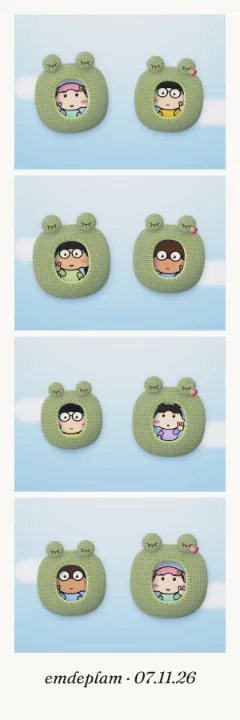
Once the strip prints, dress it up. Looks puts one film look on the whole strip, with its own photo booth shelf. Frames include white, black, film, notebook, airmail, gingham and rhinestones. Surfaces include lace on denim, a café table, a journal and pink satin, with up to 3 strips on one. Add stickers and a caption at the bottom or the top. Save with a surface for a 9:16 story, or pick No backdrop to print at 2×6 in.
Photo booth for two, three or just you
For two, pick the Couple pack; for a group, Squad: the app calls out poses like heads together, arms around shoulders, everyone throws a peace sign. The Wide viewfinder fits a group more easily, and the 10 second timer gets everyone in place. With an effect on, everyone gets their own, never overlapping. On your own, try Cute, Cool or Peekaboo. Photos already on your phone can go in a strip too: tap Pick from library.
Get emdeplam free on the App Store, prop up your phone and shoot your first photo booth strip at home.
5.0 · 3,500+ downloads on the App Store