 emdeplam
Video collage: 2 or 3 videos playing at once in one story
Put up to 3 videos in one 9:16 story layout, all playing at once, each cell showing the part you pick. Then finish in the Studio: moving text, music, 10 sound effects and your voice-over. Free right now, no watermark, and your videos never leave your phone.
Side by side is not joining
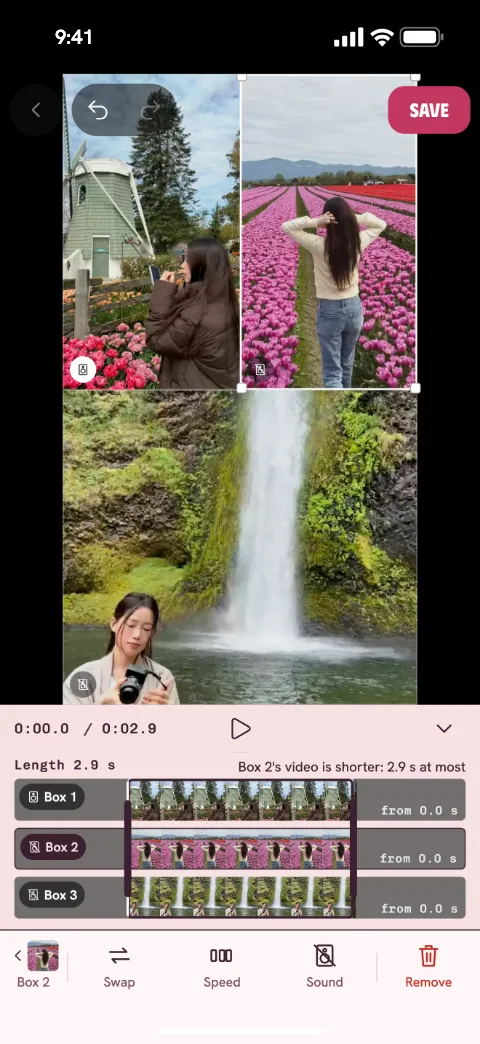
Joining puts one clip after another. Video collage in emdeplam puts up to 3 videos side by side in one frame, playing together like a story with several cells. Good for a before and after, three angles of one trip, or three friends doing the same dance.
How to play 2 or 3 videos at once
- On Home, tap Video, choose Edit video and open a video from your library, up to 20 minutes long.
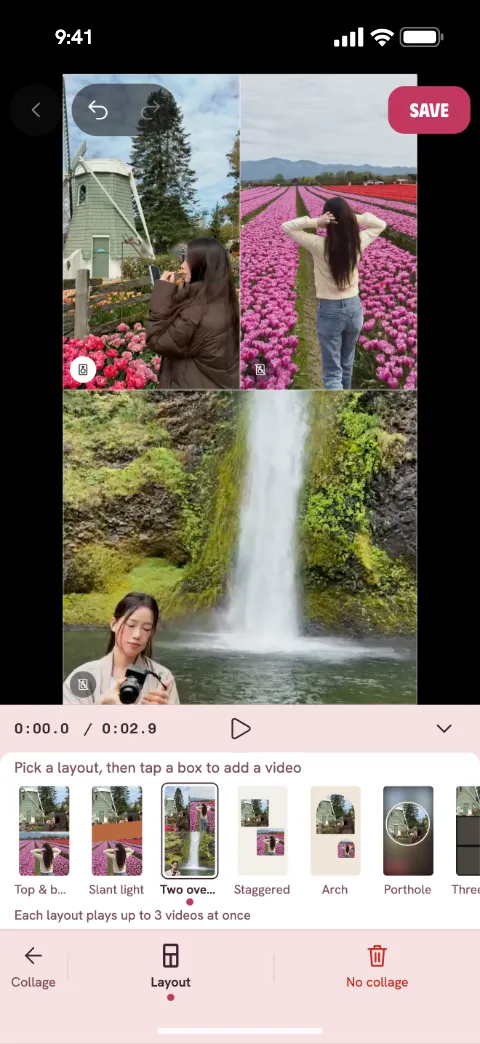
- In the Studio bar, tap Collage and pick one of 8 story layouts.
- Tap each empty cell to add a video. The cells play together right in the preview.
- On the timeline every cell gets its own lane: slide to pick each video’s part, drag the two ends to set the length.
- Save a 9:16 video, ready for your story.
Each cell: swap, speed, volume, centre
Tap a cell to pick it: drag to move the frame, pinch to zoom inside the cell. Its bar has Swap for another video, Speed, Volume to keep or mute that cell’s audio, and Centre. Don’t need a cell? Tap Remove.
Finish in the Studio: text, music, sounds, voice
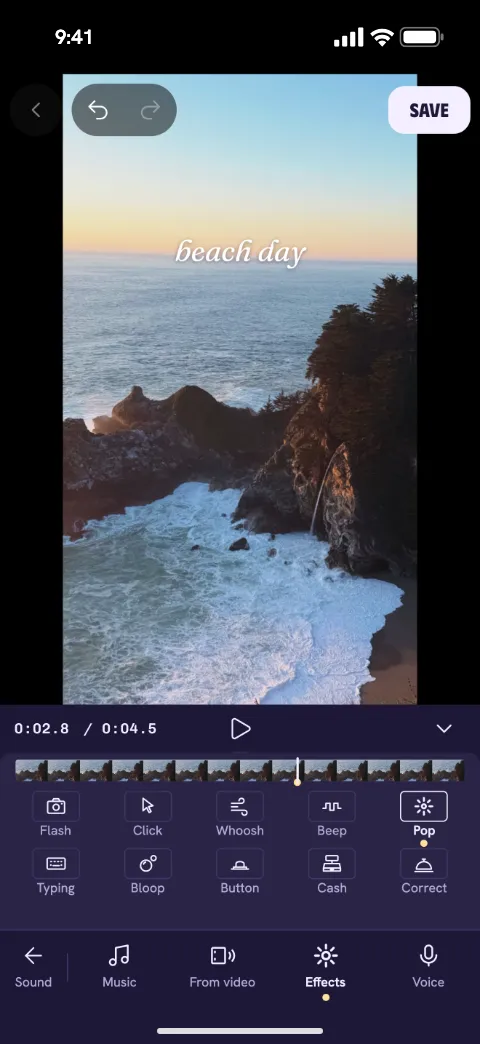
The collage stays in the Studio. Text has Motion with In and Out, 7 moves to choose from. Sound has Music, 10 sound Effects of our own and Record voice: record your voice right over the video and the music dips while you talk. Add stickers, a frame and a film look.
Your videos stay on your phone
Everything runs on your phone: no account, no ads. Videos are never uploaded and save with no watermark. Every feature is free right now.
Get emdeplam free and turn 2 or 3 videos into one story that plays together.
5.0 · 3,500+ downloads on the App StoreVideo collage is coming to Android.