 emdeplam
video · transformation
How to film a transformation video: plan, line up, join into one
A great transformation video is one where the shot before and the shot after match perfectly: the same spot, the same angle, and only the outfit, the hair or the room has changed. The trick is in the filming more than the editing. Here is how to film a transformation video on your phone with emdeplam: plan a shot list, keep the phone still, turn on Align to step into the faint frame, then trim and join the takes into one video.
What a transformation video is, and why framing matters
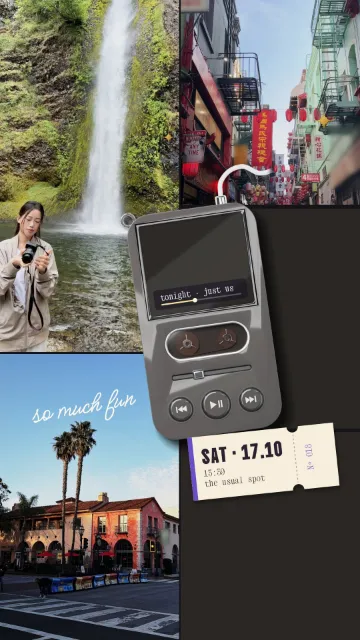
A transformation video, or transition video, is several short takes filmed in the same frame. At each cut everything stays put except one thing: the outfit, the makeup, the hair, a room before and after tidying, or the same street corner by day and by night. It feels like magic because the eye only catches what changed.
For that, the takes have to match: the same phone position and zoom, the same spot and pose. A little off and the picture jumps, and the surprise is gone.
Plan the idea and a shot list
Write it down before you hit record, one line per take plus how it moves into the next. A few easy ideas:
- Outfit change: take 1 in pyjamas, cover the lens with your hand; take 2 starts from that hand, and when you pull it away you are dressed.
- Finger snap: snap at the end of one take, and the next opens with new hair or makeup in the same pose.
- Jump: jump at the end of take 1; take 2 starts as you land in another outfit.
- Spin: turn your back to the phone, and the next take finishes the spin.
- Before and after: a corner of your room, a desk or a balcony before tidying and after decorating.
Each take only needs 1 to 3 seconds. Note how each one ends, because that is exactly how the next one begins.
Keep the phone still: a tripod, a wall, a stack of books
- Fix the phone in place. A tripod is best; otherwise lean it against a wall, a shelf or a stack of books. Handheld, two takes almost never match.
- Mark your spot. Stick a bit of tape on the floor so you always stand in the same place.
- Keep the light the same. Film near a window and shoot all the takes in one go, before the sun moves. At night, use the front camera and turn on Screen light in its Light frame shape: the screen becomes a band of light round a 9:16 viewfinder, so your face is evenly lit and you still see yourself. The back camera has its torch.
- A 3 or 10 second timer gives you time to step into place after tapping record.
Line up each take: step into the faint frame
This is the step that makes it match. On emdeplam’s Home, tap Video, then Record video. Tap the shutter to film your first take, and tap again to stop.
From the second take on, an Align button shows in the top row. Turn it on and:
- The last frame of the previous take shows faintly over the camera, with a rule of thirds grid to line up the horizon, a table edge or a door frame.
- The lens and zoom go back to how the previous take ended and stay locked, so a stray pinch can’t knock the framing off.
- Your job is to step into the faint frame: the same spot, the same final pose, head, shoulders and hands over the ghost, then film the next take.
Messed one up? Tap the undo button next to the shutter to drop the last clip; the earlier takes stay as they are.
Film several short takes, one idea each
- Each tap is one take, up to 60 seconds long. The whole video can run to 20 minutes, far more than a transformation needs.
- Film a little extra at both ends; you trim it later.
- Takes save themselves in Video drafts (up to 10 videos), so if you leave you can open it again and keep going.
Trim the ends and join them into one video
When you are done, tap Done. Your takes sit in a strip under the video, in the order you filmed them.
- Tap a clip to pick it and drag the handles at either end to trim. For a transition: end one take right when your hand covers the lens, and start the next from that same moment.
- Play the cut a few times. If it jumps, nudge the trim point a little.
- Tap Save: the takes are joined into one video in Photos, with no logo.
Finish in the Studio: cuts, text and sound
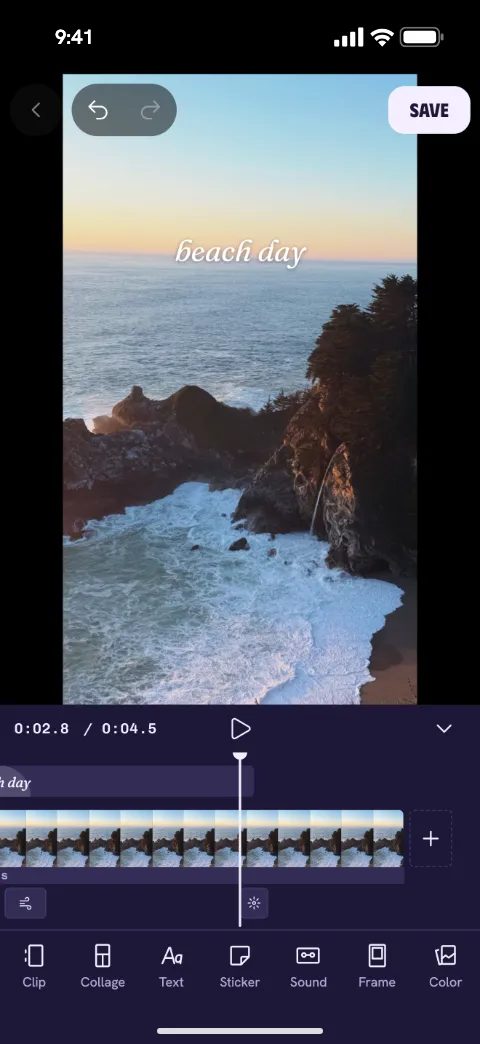
In 1.6 the video editor is a small Studio right inside the app, with everything a transformation video needs:
- Clip: Split a take at the playhead and change its Speed from 0.5× to 3×. Tap the mark between two clips to pick Flash (a white flash) or Fade, made for the moment of change.
- Color: one film look over the whole video, so before and after share a tone.
- Text: add a line with Motion as it comes In and goes Out, 7 moves such as Pop, Slide and Type.
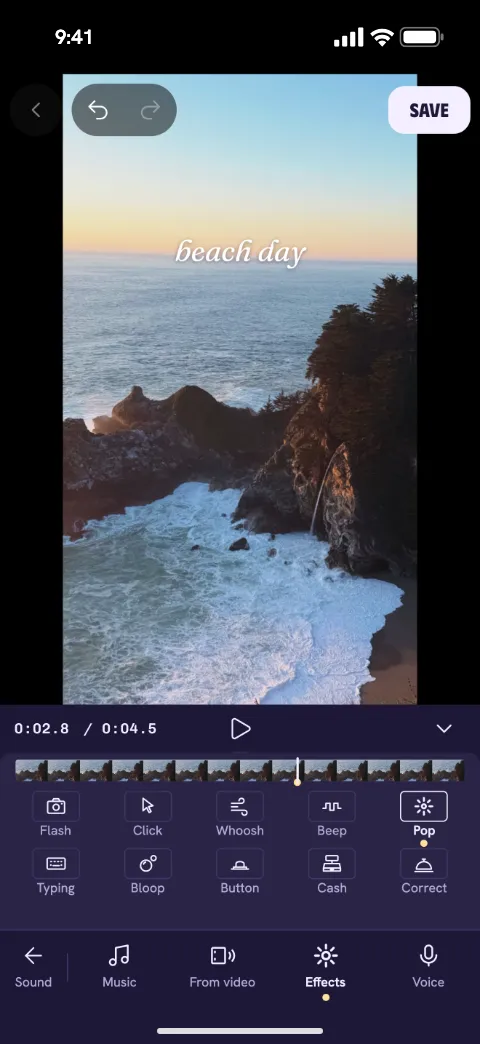
- Sound: Music from Files, 10 sound Effects such as Whoosh or Pop right on the cut, Record voice to tell the story, and Lower music so the music dips under your voice.
- Mark the Beat on the music so each cut lands on it.
Save at 720p or 1080p; the emdeplam mark appears only if you turn it on.
Quick answers
My two shots don’t line up. What can I do?
Fix the phone in place, stand on the same spot, and turn on Align before the next take: the last frame shows faintly and the lens and zoom stay as they were. Step into the faint frame, then film.
How long can a take and a whole video be?
Each take runs up to 60 seconds, and the whole video up to 20 minutes.
Does it work on Android?
emdeplam is on the App Store for iPhone and on Google Play for Android. The new 1.6 features are coming to Google Play soon.
Does it cost anything, or add a logo?
Every feature is free for now, with no ads and no account. Saved videos have no logo.
Get emdeplam, prop up your phone and film your first transformation video.
5.0 · 3,500+ downloads on the App Store