 emdeplam
film looks · recipes
Photo filter recipes for iPhone: share a look as one code
“What filter is this?” sits under every great photo. But copying a list of brightness, contrast and warmth values rarely gets the same colours. In emdeplam a filter recipe is one short code: send the code, paste the code, and their photo gets the same look.
Why copied settings rarely match
A photo's colours aren't just a few sliders. There's the tone curve, the saturation of each colour, the tint in the highlights and shadows, and how strong the filter is. Miss one step, or copy it into a different app, and the look drifts. That's why so many people ask for the recipe and still don't get the same photo.
Save a look as one code
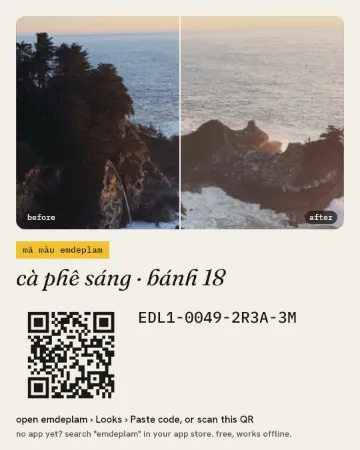
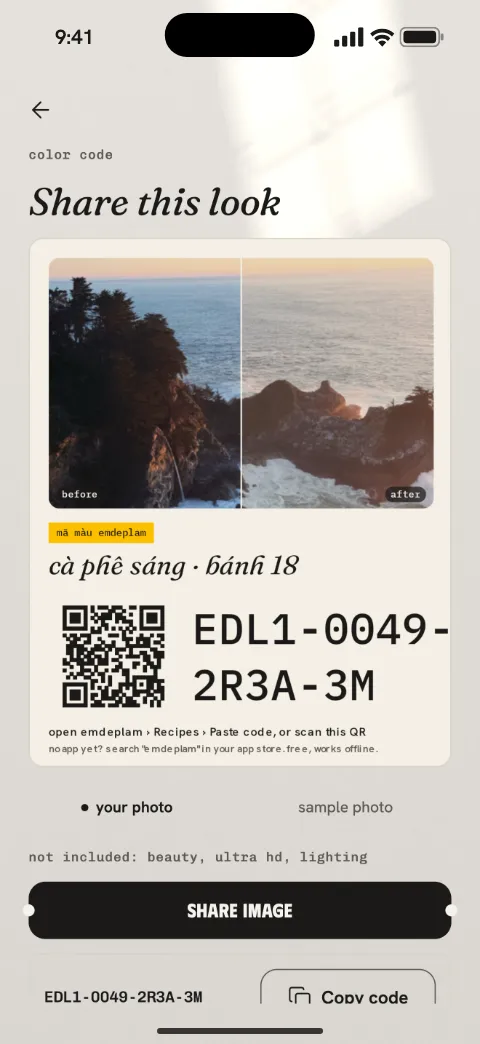
When you finish a photo in emdeplam, the whole recipe (film look, strength, light, HSL, curve, toning) is packed into one color code like EDL1-…, with a friendly name and a QR code. The code holds no photo, only the edit. There are also frame codes (how a photo booth strip is dressed) and story codes (how a story collage is laid out).
Send it, paste it
- Send the code to a friend: paste it in a chat, or save the code card with its QR to post alongside your photo.
- They open emdeplam and go to Recipes › Paste code, or pick a screenshot with the QR code in it.
- The look is saved to Mine. Tap it to pick a photo from your library and the look goes on that photo.
It all runs on the phone: no internet, no account.
Everyone: recipes picked by hand
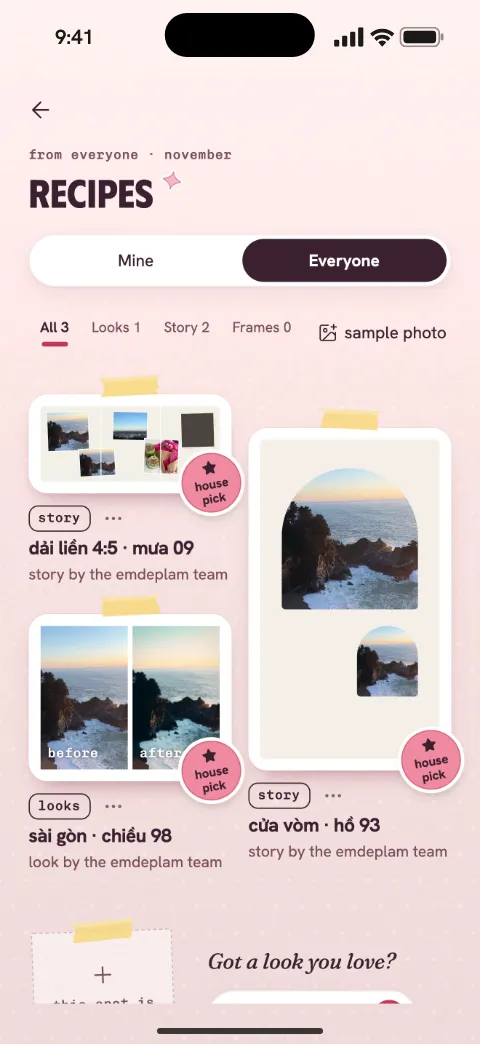
Since version 1.5, Recipes has an Everyone page: looks, frames and story styles sent in by people who use the app, picked by hand, with new picks about monthly. Preview any recipe on a sample photo or your own, then tap Get this look. The sample photos are only a reference: when you use a look, you always pick your own photo.
Everyone is the only part of the app that needs internet, to load one public list. Nothing is sent from your phone.
Share your own recipe
Proud of a look? From the ⋯ on a recipe, choose Send to Everyone. The submission page opens with your code filled in. Choose to be credited or anonymous, then send the photo you edited by Instagram DM or email, no public post needed. A few recipes are picked each month.
116 film looks to start from
No recipe of your own yet? Start from the 116 film looks built in, including 30 looks from Vietnam such as Sài Gòn, Hà Nội Thu, Đà Lạt Sương, Hue Violet and Hoi An. The shelves are sorted by what they're for: portrait, travel and sunset, film, cinematic, instant, black and white. Search by name, then fine tune a few steps and save it as your own code.
See them all on the film looks page.
Quick answers
Does a color code include my photo?
No. The code only holds the edit. Whoever pastes it uses it on their own photo.
Do I need internet to paste a code?
No. Codes are read on the phone. Only the Everyone page needs internet to load its list.
Can it read a QR code from a screenshot?
Yes. In Recipes, pick a photo that shows the QR code and the app reads the recipe.
Get emdeplam and share your look as one code instead of a list of settings.
5.0 · 3,500+ downloads on the App Store